When the Internet Goes Down: Why Cloud Fax Is Your Business Continuity Lifeline

In healthcare and insurance, an internet outage is more than an IT inconvenience. It can interrupt the movement of documents that support patient care, claims processing, and daily operations. So how can your organization keep critical fax workflows available when its primary systems or network connections fail? “Fax can be part of the answer, but only when it’s designed into a broader business continuity plan”, says Doug Olive, President of Ingenium Software.
The second week of November made that argument for us. Over six days, Microsoft 365 went down and took Outlook and Teams with it across more than 70 countries. The Federal Aviation Administration grounded every flight in the country. Chase customers couldn’t reach their money, and Apple Pay, iCloud, and the App Store followed. Downdetector logged 6.4 million U.S. outage reports that week, roughly four times a normal week. Add the multi-region Azure networking outage in late September, an AWS disruption in us-east-1 in mid-November, and a global Cloudflare incident in October, and the pattern is hard to ignore: the platforms everyone rents can fail, and they don’t compare calendars.
That isn’t theoretical. In June, a regional hospital that works with Ingenium suffered a cyberattack and shut off its internet for 30 days. During that time, it could not send or receive patient files or invoices to insurance companies. Referrals and physician orders stopped moving, too. The financial and patient-care impacts were immediate. The negative financial impact on this small regional healthcare organization was nearly 50 Million Dollars.
The lesson isn’t that fax is immune to cyberattacks or outages. It’s that relying on one network path for essential document exchange creates a single point of failure. Let’s break down how fax can support a more resilient communications plan, and what IT leaders should consider before the next disruption.
Why fax still matters when business systems are disrupted
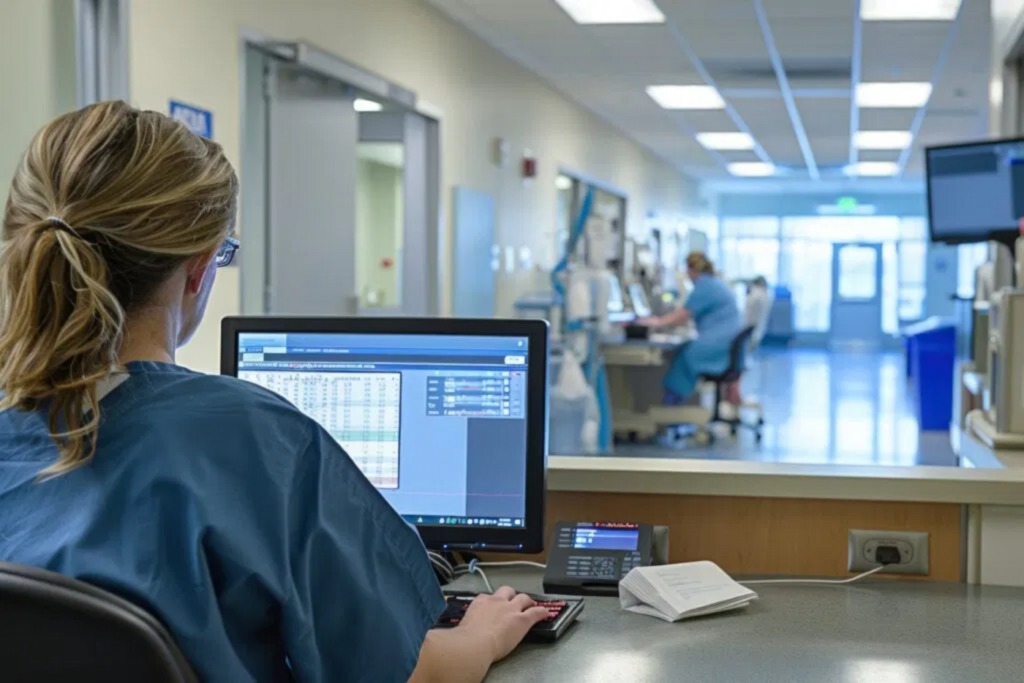
Hospitals, clinics, insurers, and their business partners still exchange referrals, orders, medical records, authorizations, and invoices by fax. It’s a familiar channel that connects organizations even when they use different electronic health record (EHR) systems or document platforms.
A fax workflow may also offer an alternative to a business application that has become unavailable. But the details matter: a fax service that depends on the same internet connection, power supply, or compromised systems as everything else may fail along with them.
Traditional fax over a copper telephone line could, in some circumstances, continue during an internet outage, provided the fax machine had power and the phone network remained available. That wasn’t a guarantee: carrier facilities, local power, or damaged infrastructure could still take service down.
Modern cloud fax changes where fax processing happens, but it doesn’t make connectivity unnecessary. Users generally need power and a working path to the cloud service. The value comes from designing independent routes and recovery options, rather than assuming one technology will work through every emergency.
What the November outages actually reveal
The headlines focused on email and banking. For anyone responsible for clinical document exchange, the mechanics matter more than the drama.
- The failures were mostly software and configuration, not attacks. Microsoft’s disruption traced to a defect introduced during a network upgrade. Chase traced its outage to a software bug, and Apple cited a faulty internal update. A breach wasn’t the culprit. Change was.
- Identity and email went first. When Microsoft 365 wobbles, sign-in and mail break together. Any workflow that depends on an email tenant, a single sign-on provider, or a live browser session routes straight through that same weak point.
- The pace of change is accelerating. Senator Mark Warner pointed to organizations racing to patch flaws that AI tools now find faster than companies can fix them. Whether or not that explains this particular week, the direction is clear: more patches, more change, and more windows for something to break.
- Duration is what hurts. An hour without email is an inconvenience. Almost 24 hours of it, in more than 70 countries, is a cash-flow problem the moment invoices to payers stop moving.
The takeaway for IT Directors is uncomfortable but useful: the outage you should plan for probably isn’t a hurricane. It’s a routine Tuesday update. That makes consolidating every critical document workflow behind a single vendor’s uptime record a strategic risk, not just a technical one. This begs the question: if your referral, order, and claims traffic all ride on one productivity suite, what is your plan B?
Cloud fax can help, but it isn’t outage-proof
An online fax service can support familiar workflows such as email to fax and fax to email, as well as browser-based access, multifunction printers (MFPs), or application integrations. A resilient service may also use multiple carrier networks, geographic redundancy, message queues, and failover procedures.
Here’s where November offers a specific lesson. Email-to-fax is only as available as your email. If Outlook or Teams is down, and that’s your only on-ramp, your fax workflow stops with it even though the fax network itself is perfectly healthy. One of the standout advantages of a well-designed deployment is giving staff more than one way in: a browser portal that doesn’t depend on the mail client, an MFP at the nurses’ station, or an API integration that talks to the fax platform directly. Ask your provider which access paths survive a productivity-suite outage, because that is the scenario your team is most likely to face. A pure cloud fax client, where users work in a browser instead of an inbox, removes that dependency entirely.
Beyond access paths, carrier and geographic redundancy reduce dependence on a single on-premises fax server, phone gateway, or carrier. They can also help organizations keep inbound documents available if a local fax environment goes offline. For example, a provider may hold inbound faxes in a cloud queue until the organization’s system is ready to receive them. Confirm exactly how this works with your provider; capabilities and limits vary. And also ensure that the documents in the queue are encrypted.
A cloud fax system can still be unavailable if the organization loses power and connectivity, if the provider has an outage, or if a cyber incident affects the user’s access or identity systems. That’s why the continuity benefit depends on the whole architecture, not the “cloud” label alone.
Ingenium’s fax services include cloud fax and on-premises options, as well as support for hybrid deployments. For a deeper look at those models, see disaster recovery strategies for healthcare fax systems.
Include fax in your business continuity plan
A business continuity plan (BCP) describes how an organization will maintain essential operations during disruption. A disaster recovery plan (DR plan) focuses on restoring technology and services. Fax workflows belong in both if your organization relies on them to move critical documents.
Start by identifying what needs to keep moving, and how long each workflow can tolerate being unavailable. A hospital may prioritize physician orders and referrals; an insurer may need claims and supporting records. Then map the dependencies: internet providers, power, identity and email systems, fax servers, cloud vendors, phone carriers, and receiving organizations.
For each critical workflow, document:
- Recovery Time Objective (RTO): how quickly the service should be restored.
- Recovery Point Objective (RPO): how much data or queued work the organization can afford to lose.
- Activation criteria: who declares downtime and when the fallback begins.
- Fallback routing: where staff send or retrieve documents if the primary workflow is unavailable.
- Reconciliation steps: how staff confirm that queued, paper-based, or manually tracked documents are processed after recovery.
Then test the plan with the people who will use it. A written procedure is useful; a practiced one is far more likely to work under pressure.
A practical continuity checklist for IT Directors
A continuity-ready fax architecture can combine cloud, on-premises, and manual options. Consider these steps:
- Build in independent connectivity. Evaluate a secondary internet provider or cellular failover. Confirm that the alternate route does not share the same vulnerable infrastructure as the primary connection.
- Ask about carrier and geographic redundancy. Verify how your online fax service handles carrier failures, provider-site outages, and inbound faxes during an on-premises disruption.
- Separate your access paths from your identity provider. If the only route to fax is email, a productivity-suite outage takes fax down with it. Confirm that a browser portal, an MFP workflow, or an API feed still works when mail and single sign-on do not. A cloud fax client like ETHERFAX Engage is built for exactly this, since it reaches the network without going through the mail client.
- Keep hybrid options on the table. A hybrid setup may combine a local fax server with cloud-based transmission or buffering. This can give teams alternate routes if one component fails. Ingenium explains the approach in The Power of Hybrid Fax Technology.
- Define and test failover. Run realistic exercises: What happens if the primary internet connection fails? What if email is unavailable? Can staff use a preapproved alternate device or workflow? Record what worked and update the plan.
- Protect power and local equipment. Assess uninterruptible power supplies (UPS), generator capacity, and the equipment needed to access fax workflows. A cloud service can’t help if staff devices and local network equipment are without power.
- Prepare a secure manual fallback. Maintain current routing directories and downtime forms. Limit access to sensitive information, track every document, and define how staff will reconcile paper or manually recorded work once systems return.
Where ETHERFAX Engage fits in a continuity plan
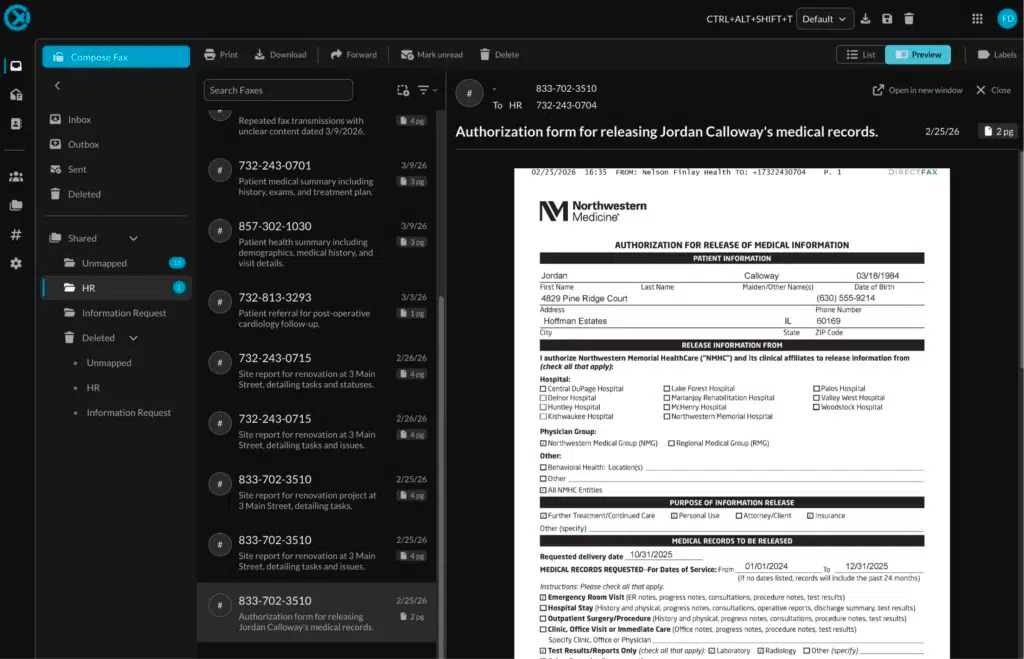
This is where the architecture choice stops being abstract. Many cloud fax deployments reach users through email, which means a Microsoft 365 outage becomes a fax outage even when the fax network itself is healthy. ETHERFAX Engage takes a different path. It is ETHERFAX’s cloud fax client, a secure web application where teams send, receive, and manage faxes directly, with no dependency on an email client or a shared mailbox to reach the network.
That distinction matters precisely because of what broke in November. The failure lived in mail and identity, not in fax. An access path that never traverses email is a real alternate route, not a theoretical one.
Here’s what teams get once they are working in Engage:
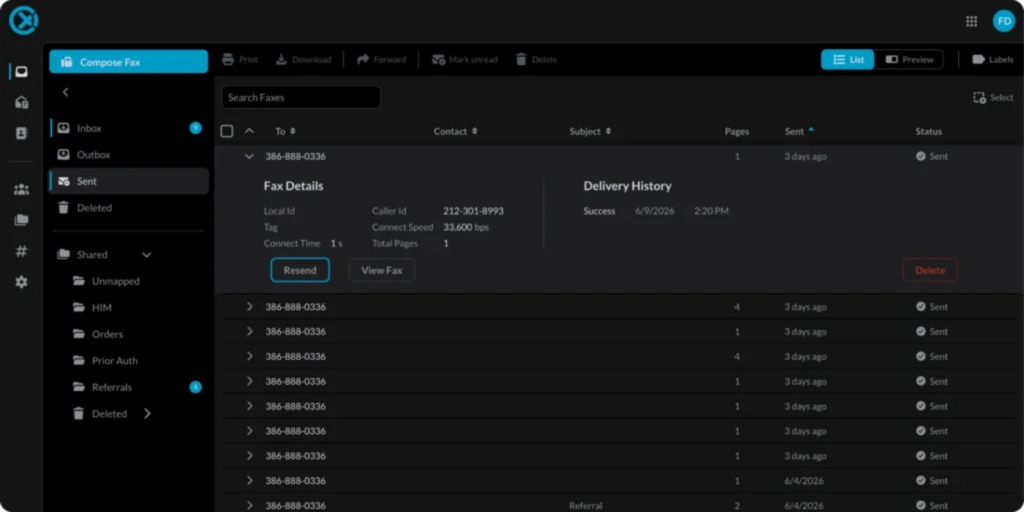
- A browser-based inbox reachable from any device, so staff can check status, resend a failed job, and act on incoming documents without a desktop client or a printout.
- Shared workspaces that deliver inbound faxes to a department rather than a person, which keeps referrals and orders moving when the individual who normally handles them is unavailable.
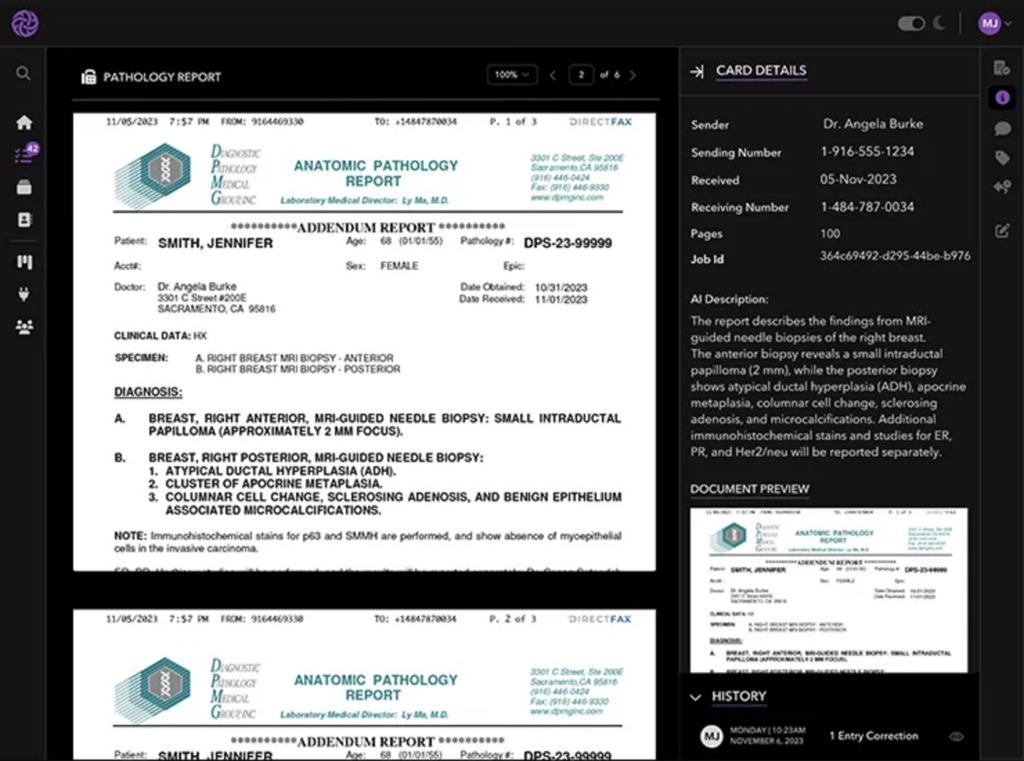
- AI-powered summaries on every document, so staff see the sender and a plain-language overview before opening anything. During a surge, that is the difference between triaging fifty faxes and reading fifty faxes.
- Role-based access controls, centralized administration, audit logs, and reporting, so the account of what happened during a disruption already exists when compliance asks.
- Direct sending of PDFs, Office documents, images, and text files, without printing or scanning first, plus integration with Canon, Ricoh, Xerox, and Lexmark scanners and MFPs, and systems like Epic and Hyland OnBase.
Engage operates in an environment that meets HIPAA, SOC 2, HITRUST CSF R2, PCI DSS 4.0.1, and NIST v1.1 requirements, which matters if downtime procedures have to hold up to scrutiny afterward.
For organizations still running a fax server, the migration path is deliberately staged: route fax traffic off copper lines on day one with no change to existing workflows, move teams onto Engage without disruption, then port the numbers and retire the legacy server. Continuity and modernization end up as the same project, which is a much easier conversation with a CFO than buying insurance against a disaster.
HIPAA considerations during downtime
Consider severe scenarios without assuming the worst
Make fax part of the plan, not an afterthought
Fax can provide an important, familiar route for exchanging documents, and a well-designed cloud or hybrid fax architecture may help reduce dependence on a single local system or carrier. But resilience comes from layers: redundant connectivity, power protection, geographic recovery, secure procedures, and tested failover. In a year that has already delivered major Azure, AWS, Cloudflare, Microsoft 365, and banking outages, the organizations that come through the next one intact will be the ones that stopped treating any single platform as a guarantee.
Ingenium has nearly 30 years of fax experience and works with healthcare and insurance organizations to assess existing processes and design continuity-ready solutions, including deployments built around ETHERFAX Engage. If your team is reviewing its business continuity plan or disaster recovery plan, contact Ingenium to discuss your fax dependencies, recovery goals, and practical next steps.